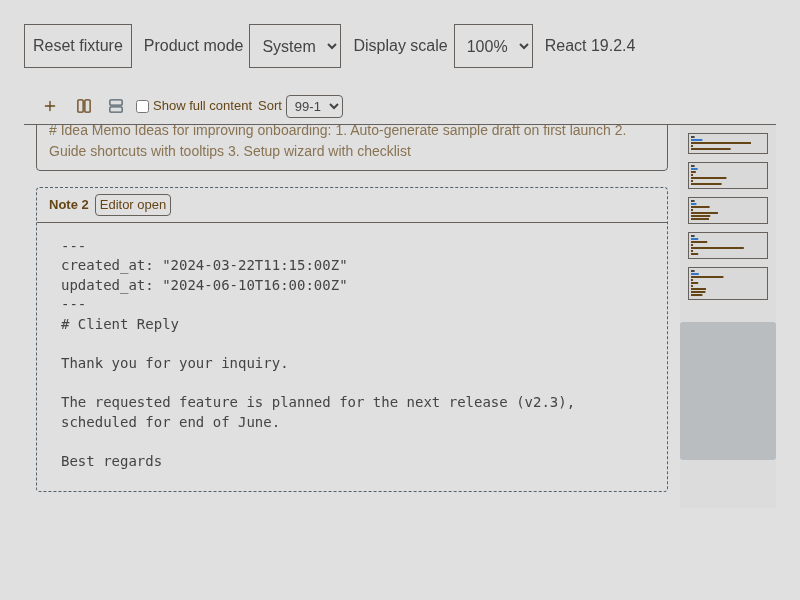
Timeline editing and contextual keyboard Help
This page records the renderer behavior and coverage boundaries for origin-scoped Timeline editing and the shared keyboard-help dialog. It documents the implementation shared by the Timeline and eligible Kanban body editors; the end-user steps are in the Timeline manual and Kanban manual.
Timeline editor ownership
The Timeline package owns card presentation, selection, directional navigation, and the bounded card editor shell. The renderer owns CodeMirror 6, Vim, the origin-specific finish host, and writes through the existing draft store. A selected card is not necessarily the editor receiving input. Enter is the explicit request to focus or resume the selected card's editor; changing card selection does not focus another open editor or move its caret.
For an ordinary eligible inline editor, Escape is a final finish action only after the originating editor's local UI and IME have declined it. Search, completion, and other deeper editor UI retain their own first Escape. During composition or candidate confirmation, the application does not reinterpret Escape as finish. Clicking away is not finish.
The same originating host handles Done, ordinary Escape, and Vim :q / :quit. Vim owns Escape in every mode. In Insert or Replace, Escape changes Vim mode locally; in Normal mode it is a no-op or local cancel. The user may then run :q or :quit from Vim, or use Done. A participating autosave host safely rejects :q!; it neither discards the buffer nor reaches application quit. Bare Normal q and Cmd+Q keep their existing meanings.
Finishing flushes the latest revision through the existing save owner. The editor switches to preview only after the accepted local write is durable. A newer edit or failed write keeps the origin open and recoverable. Finishing does not wait for remote cloud acknowledgement. Workspace, frame, directory, and note identity are checked before asynchronous completion can update focus or UI.
Timeline editor snapshots are process-local. The runtime keeps at most eight detached clean owners; each owner's clean CodeMirror snapshots are bounded to 24 notes or 1 MiB of text. Dirty, failed, or in-flight snapshots are outside those clean limits and remain pinned in the current process. Timeline uses its existing save owner and local provider acknowledgement to mark a written snapshot clean; a later genuine backend/external value can then replace it on remount without requiring Done first. This cache is not persistent across process loss.
Kanban body sessions have a separate recovery rule. A locally edited session tracks a durable revision separately from the optimistic markSaved marker, so an optimistic marker alone does not prove the body reached the write owner. Edited, failed, and in-flight snapshots remain dirty and pinned in the current process; a late external update cannot replace them before an explicit finish verifies the latest revision. Untouched sessions may adopt a newer external value. Clean Kanban history is bounded across sessions to 24 snapshots or 1 MiB of text. Dirty snapshots are not durable across process loss; this retention protects in-process remounts, not data-loss guarantees.
The Timeline's vertical editor shell is bounded while ordinary vertical previews retain natural or clamped height. Scroll-past-end adds display space inside the editor viewport and does not insert document lines. The horizontal editor fills its bounded card and scrolls internally. Inline Timeline editors do not use typewriter recentering.
In Kanban, finish is enabled only for the body editor of an existing card detail panel, whether docked or floating. Done, ordinary Escape, or Vim :q / :quit returns that body to preview while the detail panel stays open. The create-card flyout, manual-save editors, full-page editor, settings fields, and Terminal keep their host policies.
Shortcut Help ownership and data
The general Keyboard Shortcuts dialog opens on On screen. Its desktop default is Mod+Shift+/; the web profile replaces that generated default with Mod+Alt+Shift+/. The existing Authoring Help command and guide remain separate and reachable from the dialog. If an explicit Authoring Help binding matches a general Help alias, Authoring Help owns that combination; the general alias is suppressed without mutating the saved settings. Keyboard-icon, menu, and Command Palette routes remain available where the OS or browser consumes a key first.
Shortcut labels use the effective useSettings().shortcuts profile and useShortcutProfile() provenance. They do not derive display values from raw defaults or persist generated web aliases into the base settings document. Custom aliases, cleared arrays, per-device suppressed generated aliases, and the winning explicit Help binding remain visible as their effective state requires.
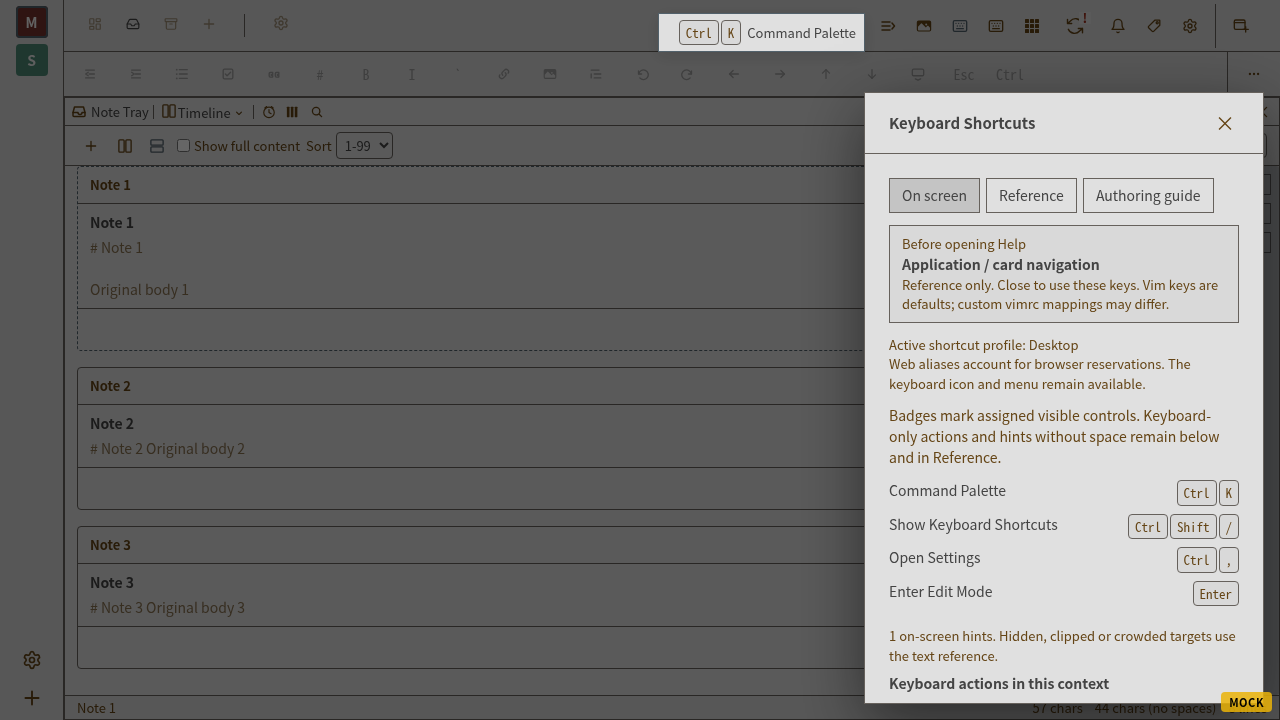
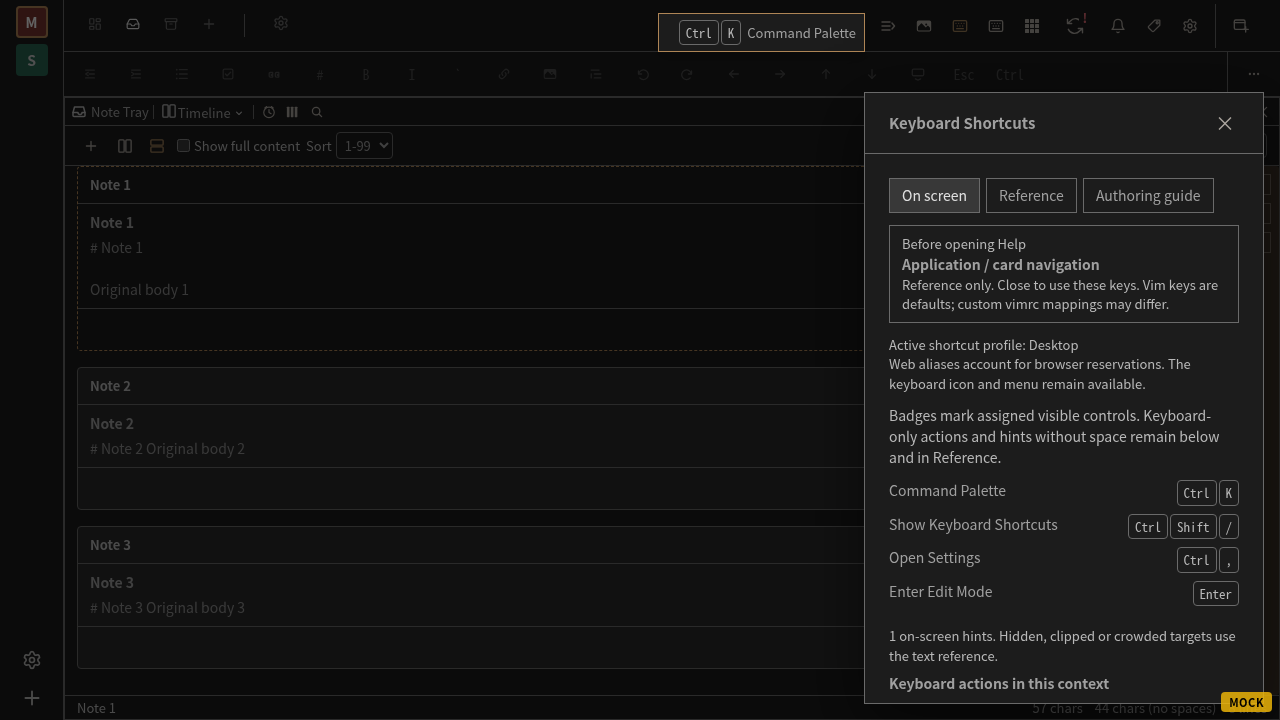
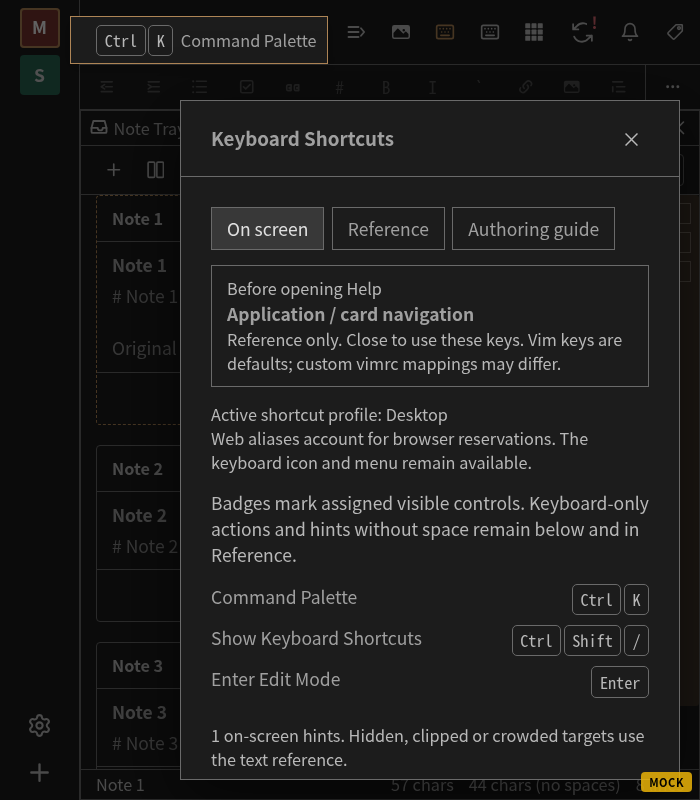
On screen collects only currently assigned, applicable, enabled targets with a visible eligible anchor. Anchor rectangles are measured against the viewport and dialog, then placed without covering controls or moving product layout. Hidden, clipped, crowded, or narrow targets fall back to the dialog's accessible text list and Reference. Keyboard-only actions are listed as text. A hint is reference information, not an access key; keys typed into Help do not execute the underlying command.
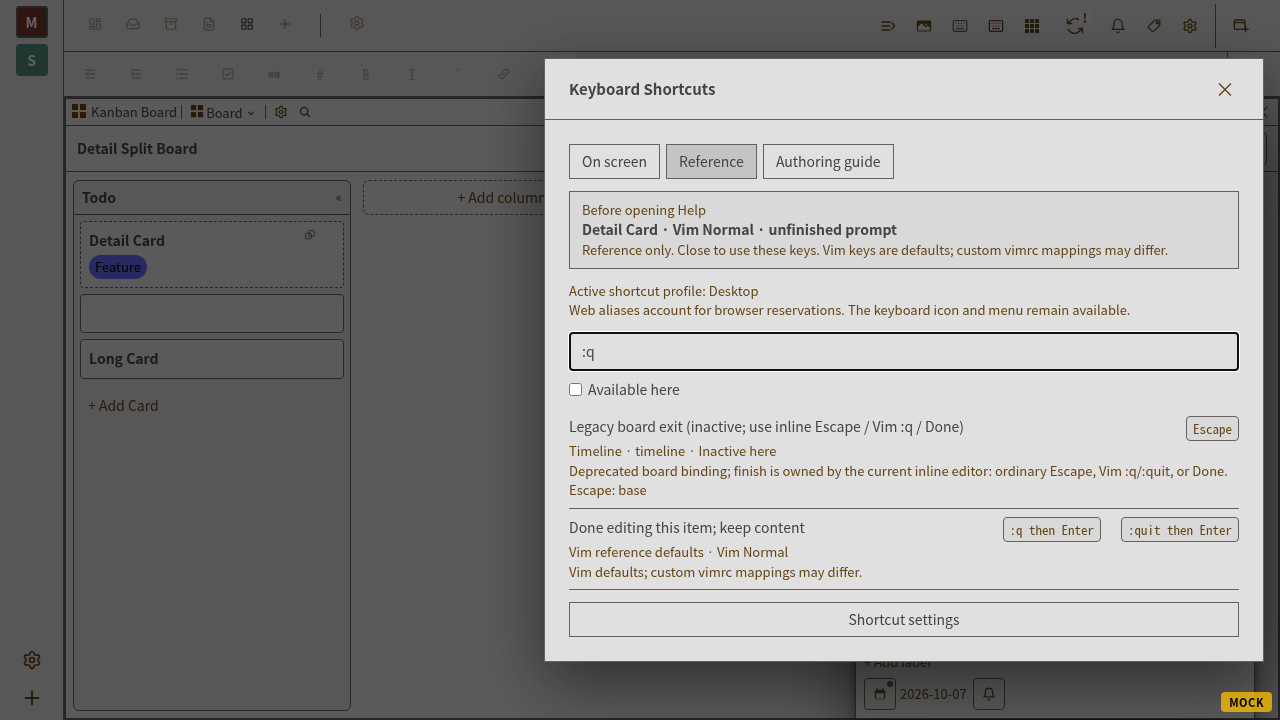
Reference searches action names, categories, scopes, aliases, formatted keys, synonyms, and provenance. It shows every effective alias, unassigned permitted actions, context-inactive reasons, and capability restrictions. “Available here” separates current eligibility from assignment; the unfiltered list still excludes actions the current capability or authorization policy forbids. Vim rows describe defaults unless the active mapping is actually resolved.
Help captures the live origin before moving focus, including pointer entry from a prompt. Closing restores the same valid editor, caret, selection, Vim mode, and unfinished search or Ex prompt without remounting or replaying a key. Help dismissal cannot also finish the restored editor. A workspace change invalidates the captured origin; a removed or detached host uses a current safe fallback.
Anchor coverage inventory
The inventory is intentionally limited to real dispatch equivalence. A control receives a badge only when its keyboard action invokes the same production owner for the same target.
| Surface | Eligible anchors and Reference rows | Deliberate boundary |
|---|---|---|
| App chrome and full editor | Existing PaletteKeyButton and editor-mode anchors; general and Authoring Help routes; editor/Vim descriptions in Reference. | Capability and authorization filtering applies before anchors or fallback rows are exposed. Custom Vim mappings are labeled as defaults when unresolved. |
| Timeline | Edit for the selected card and Done for the captured originating editor; configured navigation aliases appear in Reference with active-axis availability. | Archive targets the focused note rather than the selected card, so there is no selected-card Archive anchor. Open detail has no equivalent normalized keyboard command, so there is no invented anchor. |
| Kanban | A selected clickable card may anchor Edit because it invokes the same onEditCard owner as keyboard Enter/configured Edit. Done belongs to the originating body editor. Fixed Arrow/Enter/Delete behavior, configured aliases, and Escape clear-focus remain Reference policy. | The pencil opens a context menu, not detail directly. The new-card inline form is not equivalent to immediate keyboard New Card. Archive stays in Reference without mapping its context-menu action to the keyboard Archive command. |
| Pile | Existing keyboard and modal behavior remains searchable in Reference. Permitted global commands remain available there. | No repeated-card action anchors were added. |
| Mind map | Captured board scope and existing settings groups describe permitted navigation in Reference. | No node-button anchors were added; its dispatch owner is unchanged. |
| Settings and dialogs | Permitted commands remain in Reference; native fields and local Escape owners keep their existing behavior. | No inline finish policy or synthetic dialog mapping was added. |
| Popouts | Mounted renderer hosts retain provider and frame metadata for the same anchor rules. | Native inter-window focus and platform delivery are not proven by renderer tests. |
Base settings and generated profile aliases remain separate. Cleared bindings remain cleared. No chord guide or sample chord defaults are included.
Focused regression evidence
Coverage is distributed across production CM6/Vim and component-owner tests rather than a separate mock keyboard engine:
Timeline finish, revision races, and retained editor state:
tauri-,app/ renderer/ components/ inbox- layouts/ _ _ tests_ _ / inbox- timeline- layout- multi- edit. test. tsx tauri-,app/ renderer/ lib/ timeline- inline- owner. test. ts tauri-, andapp/ renderer/ lib/ timeline- inline- writes. test. ts tauri-.app/ renderer/ hooks/ _ _ tests_ _ / use- timeline- editor. test. tsx Kanban detail-body finish and host exclusions:
tauri-andapp/ renderer/ components/ kanban- pane/ kanban- side- panel. test. tsx tauri-.app/ renderer/ components/ kanban- pane/ kanban- card- editor- fields. test. tsx Help origin/prompt preservation and dialog behavior:
tauri-andapp/ renderer/ lib/ contextual- help. test. ts tauri-.app/ renderer/ components/ _ _ tests_ _ / shortcut- panel- contextual. test. tsx Effective aliases, scope, provenance, capabilities, and anchor eligibility:
tauri-andapp/ renderer/ lib/ help- descriptions. test. ts tauri-.app/ renderer/ components/ edit- key- bar/ palette- key- button. test. tsx Timeline package presentation, viewport bounds, and virtualized navigation:
packages/,timeline- board/ src/ _ _ tests_ _ / timeline- presentation. test. tsx packages/, andtimeline- board/ src/ _ _ tests_ _ / use- timeline- keyboard. test. ts packages/.timeline- board/ src/ _ _ tests_ _ / timeline- virtualizer- reveal. test. ts
These tests do not establish native macOS menu delivery, physical US/JIS mapping, real Japanese IME behavior, Android hardware-keyboard or Samsung IME behavior, or screen-reader/browser-device interaction. Those checks remain unverified in follow-up #7394. Linux renderer and browser evidence does not establish those physical or native results.
Browser and visual evidence for #7387
The focused system Chromium run passed all 12 cases in e2e/: ordinary and Vim finish, exact live search/Ex prompt restoration, repeated Escape isolation, effective cleared/custom aliases, both virtualized navigation axes, split-frame ownership, measured hints in light/dark/narrow scaled layouts, and bounded scroll-past-end without document changes. These tests remain tagged @interactive @verification; this change does not promote them into the routine CI lane.
The existing Kanban desktop/mobile finish cases and new floating Vim Help case reached their behavioral assertions, but their runs failed the existing console-error guard on a favicon 404, also reproduced before this change. They are not reported as passing browser tests. Four separate browser cases passed the general Keyboard Shortcuts → Authoring guide route, guide navigation and search, mobile full-bleed geometry, and capability filtering. Unit tests independently cover Kanban write failure/retry, dirty remount recovery, late external updates, and origin-specific finish.
| Accepted handoff rows | Evidence and boundary |
|---|---|
| E01–E22 | Production CM6/Vim host and renderer tests listed above; focused browser origin/finish/prompt cases. Actual device composition remains in #7394. |
| P01–P10 | Origin/revision save-owner, retry, stale acknowledgement, external-update and retained-session tests; real provider/outbox durability tests and focused browser finish/reentry cases. |
| T01–T13 | Package presentation/keyboard/virtualizer tests; real browser rapid navigation, reduced motion, offscreen reveal, both orientations, bounded writing space, split/scaled layouts, and Archive footer geometry. |
| H01–H16 | Help context, effective-profile, provenance, capability, spatial-placement and dialog tests; actual live prompt, held Escape and Authoring guide browser cases. Native menu delivery remains in #7394. |
| D01–D09 | Effective desktop/web profile, rebind/clear/suppression, alias/provenance, capability and pending-chord tests; explicit coverage inventory above. Generated profile aliases remain separate from persisted base settings. |
| N01–N05 | Not verified by this environment; tracked in #7394. |
The following captures use the production renderer with isolated test notes/settings and the real CM6/Vim editor. They show layout and interaction state, not a remote-sync or native-device guarantee.
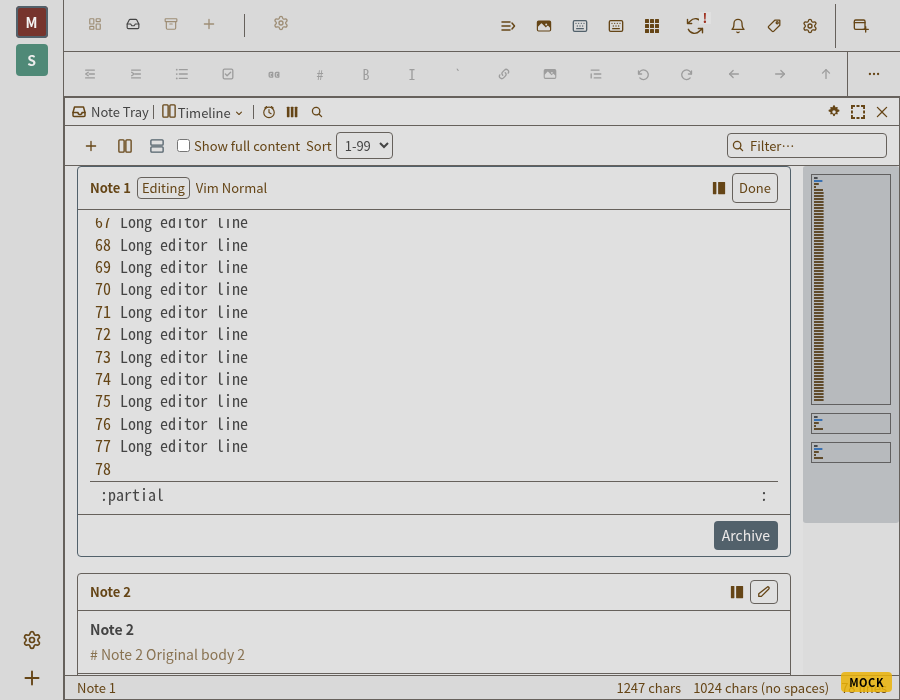
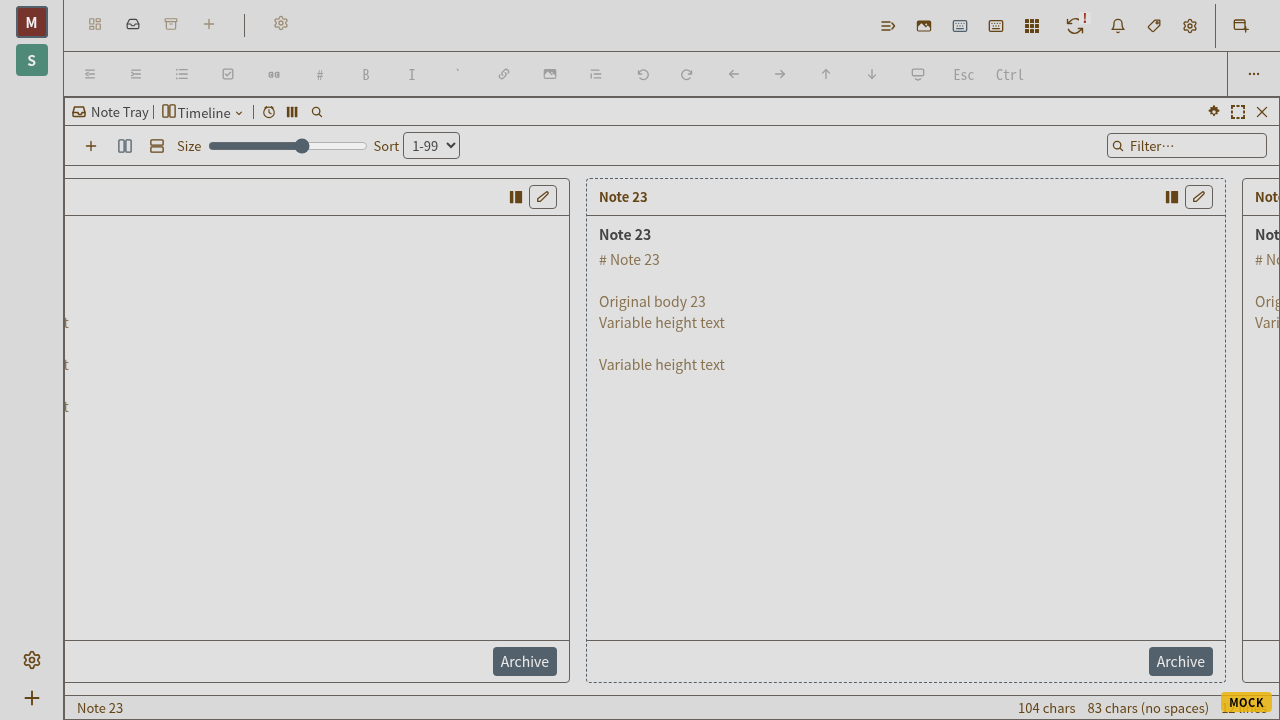
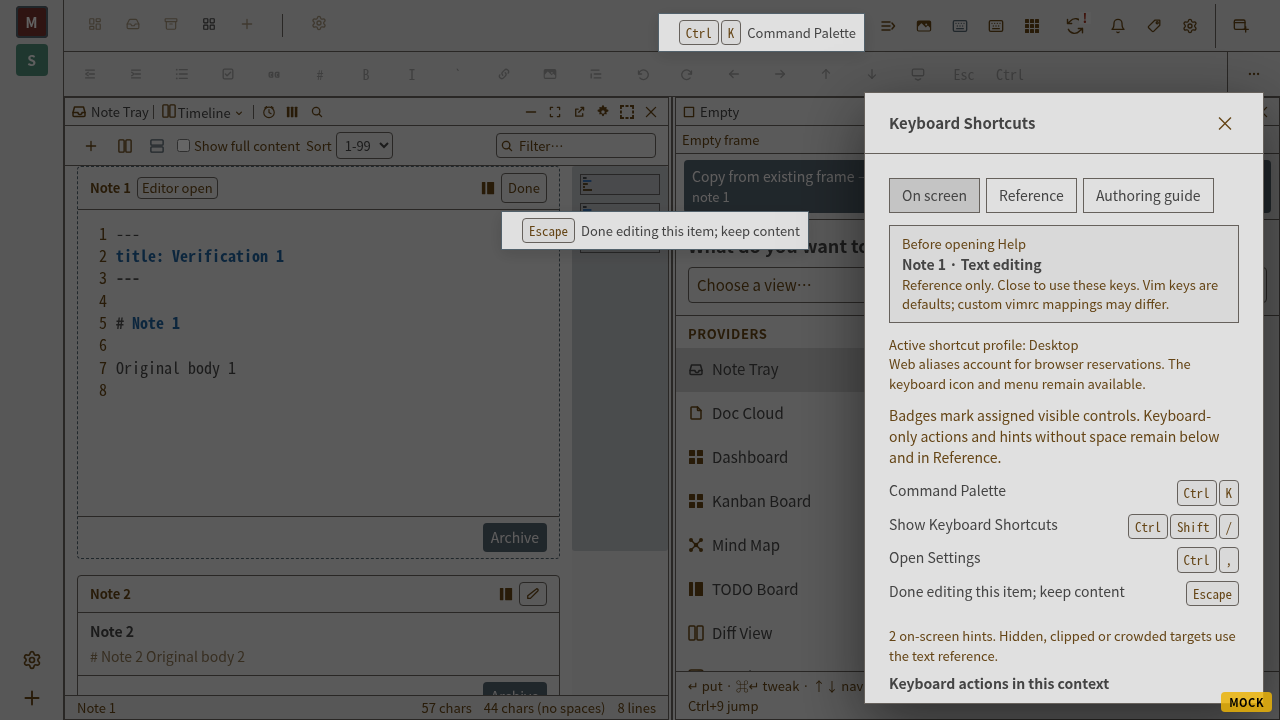
The built styleguide's Default, EditModeOn, and TwoEditorsMounted variants were separately exercised with real CM6 typing. Their fixture explicitly supplies the board height and active content owner. The canonical Default catalog thumbnail was refreshed from that route. This scoped capture recorded no JavaScript page errors but did record the environment's favicon 404 console message; it is not a claim that the full styleguide browser suite passed.